
Commercial refrigeration repair in Innisfil
When a cabinet, case, refrigerated preparation table, cooler, freezer or cold room is no longer holding temperature, tell CooperFix what changed and how the problem is affecting the business. We arrange on-site assessments of commercial refrigeration systems for businesses in Innisfil.
An Innisfil service request should describe the specific property and refrigeration system in terms the on-site contact can verify. Give the equipment location, observable temperature change and business impact together with the person who can confirm the site arrangement.
Tell us about the refrigeration system that needs attention
Provide the Innisfil service address, the best on-site contact, the equipment type and the symptom staff can see. If several units are affected, list each separately and state which problem is creating the greatest risk to chilled or frozen product, food preparation, merchandising or customer service.
- Displayed temperature, controller alarm, visible frost or water, fan sound and changes in run time
- Make and model, if the label is safely visible
- Access details for the unit and any remote equipment
Request commercial refrigeration service in Innisfil
Provide a phone number and email address where CooperFix can confirm the equipment, site and access details.
What happens after you contact CooperFix
Commercial refrigeration repair starts with what staff observed and continues with an assessment of the equipment serving the affected space or cabinet.
Describe what changed
Report only what staff can observe safely, without opening electrical or refrigeration components. Note temperature, alarms, frost, water, noise and changes in run time. If someone reset a controller or breaker, state what was reset and what happened afterward.
Confirm the address and access
Provide the full Innisfil address, unit or suite and the person who can meet the technician. Say whether equipment is on a roof or behind a restricted service area, and whether access must be coordinated with a landlord, facilities contact or another tenant.
Review the diagnosis and next step
After inspecting the installed system, the technician explains the fault found, any work completed, the repair options, parts required and whether another visit is needed. The repair recommendation follows the diagnosis rather than the symptom alone.
Commercial refrigeration equipment serviced in Innisfil
Choose the Innisfil equipment category that matches the affected system: commercial fridge, standalone commercial freezer or walk-in freezer refrigeration system.
reach-in refrigerator, preparation table, undercounter fridge, beverage cooler or display case.
View service
frozen-storage equipmentCommercial freezer repair in Innisfilreach-in freezer, undercounter freezer, frozen display case or low-temperature storage cabinet.
View service
walk-in freezer equipmentWalk-in freezer repair in Innisfilrefrigeration system serving a freezer room, including the evaporator, condensing unit, controls, defrost functions and drainage connected to the refrigeration equipment.
View service
Commercial refrigeration equipment we service in Innisfil
Similar temperature symptoms can begin in different parts of the installed system. Identify the exact cabinet, case or room and any connected component location. The technician uses equipment arrangement, model information and operating symptoms to decide what needs to be inspected.
Walk-in coolers and freezers
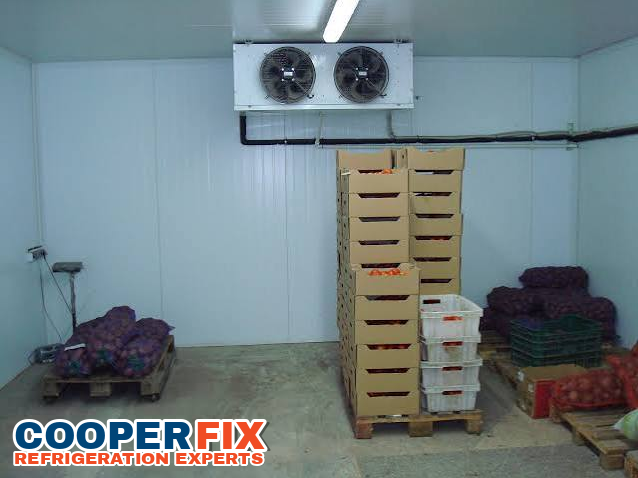
Identify the refrigerated room, displayed and target temperatures, visible frost or water, and controller alarms. The technician checks the refrigeration equipment serving the room. Tell CooperFix where the evaporator and condensing equipment are located so access to the connected system can be arranged.
Upright refrigerated storage and display cabinets
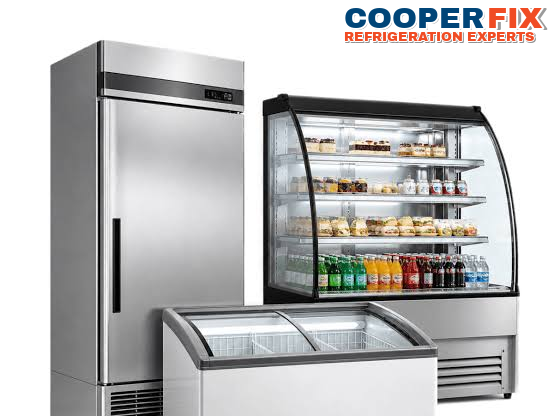
Identify the cabinet and its intended chilled or frozen operating duty. State whether all shelves are warming or only one compartment. Describe loading, door use and temperature recovery so the technician can assess the cabinet, airflow and connected refrigeration equipment.
Commercial refrigerated display cases
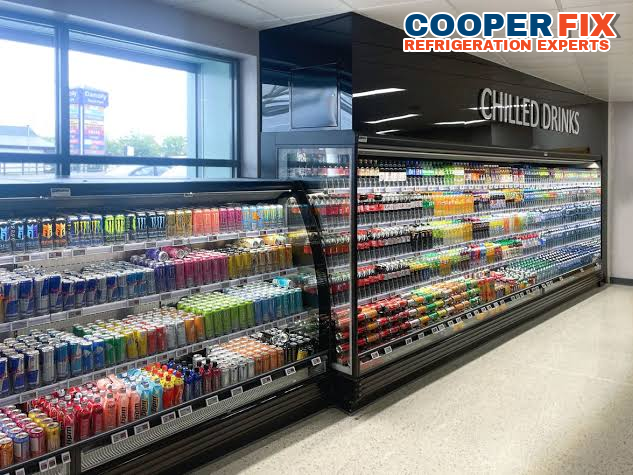
Name the affected display case, shelf or compartment and explain how its temperature has changed during normal use. Note loading patterns, visible water, unusual noise and blocked airflow. Leave panels in place and provide the model information if it is safely visible.
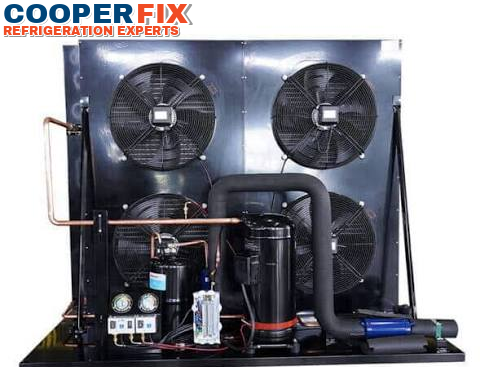
Self-contained and remote condensing equipment
Some cabinets contain the condensing equipment; others connect to equipment in a service room or on the roof. Report its location, unusual noise, repeated stopping or a tripped safety control. Access is needed to the affected cabinet or room and the equipment serving it.
How the technician follows the refrigeration system beyond the first symptom
The visible symptom may appear at the cabinet or room even when the fault begins elsewhere. The technician first confirms how the affected equipment is connected, then follows the relevant airflow, controls, electrical components, drainage and refrigeration circuit.
The assessment starts with temperature history, controller messages and changes noticed by staff. At the unit, the technician checks relevant conditions such as airflow, door closure, frost, drainage, fans, sensors and defrost operation. The inspection then continues to the condenser, compressor, electrical controls and refrigeration circuit as required.
Checking the complete system helps prevent a repair recommendation based on one symptom alone. The technician explains the fault found, work completed, parts or return visits still required and what staff should monitor afterward.
Walk-in coolers and freezers rely on evaporator fans to move air across the coil and through stored product. When stock is packed against the coil or the air path is blocked, the room can warm even though the refrigeration system itself is running, so airflow is checked before parts are blamed.
Arrange access to the complete system
Staff can record temperatures, alarms and operating changes without removing panels or taking technical measurements. Before the visit, arrange access to the unit, electrical disconnect and any remote equipment, and identify the person authorized to review the findings.
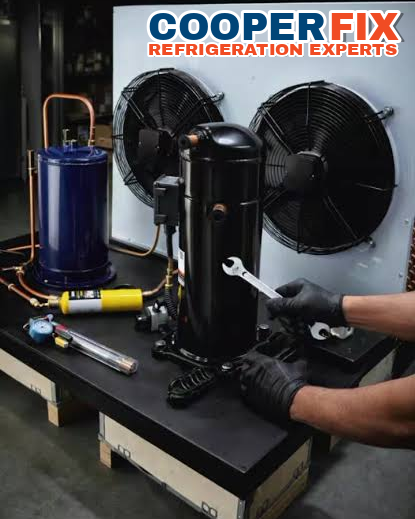
Common commercial refrigeration faults and how repair recommendations are made
The right next step depends on the equipment, its condition, how the business uses it and what the technician finds.
Airflow and heat-rejection problems
Restricted condenser airflow, a frosted evaporator, a failed fan or a blocked return-air path can reduce cooling. The technician checks the airflow path, frost pattern and fan operation before recommending cleaning or replacing a component.
Controls, sensors and defrost operation
A controller fault, inaccurate sensor or defrost problem can cause unstable temperatures or recurring frost. The technician checks how the control responds in the installed system and whether related electrical components are operating correctly.
Refrigeration circuit and compressor operation
Long run times, incomplete cooling and frost on only part of a coil can have several causes. The technician considers pressure, temperature and equipment data together before recommending work on the refrigeration circuit or a major component.
Recurring problems and replacement planning
Changes in cycling, recovery time or noise can be assessed before cooling is lost completely. If replacement is recommended, CooperFix considers the application, cabinet or room requirements, electrical supply and the existing equipment arrangement before discussing the next step.
Noise can be an early sign worth reporting. A new rattle, a fan that hums without turning or a compressor that starts and stops more often than usual may point to a developing fault, and noting when the sound occurs helps the technician narrow the cause.
Information Innisfil businesses should provide before a refrigeration visit
Innisfil’s Official Plan provides Town-wide direction for settlement growth, commercial services and employment opportunities. A refrigeration request should identify the actual property type, affected equipment and effect on the business at the service address. Also report what staff observed, how the temperature change is affecting the operation and who can coordinate access.
Start with the exact service point
Identify the address, building or unit reference and the cabinet or cold room involved. Add a concise route from the meeting point when the equipment is not visible from the main entrance.
Separate symptom from business impact
Report the reading, alarm, frost, water or sound first, then explain the storage or service activity affected. Keeping those facts separate prevents the impact from being mistaken for a diagnosis.
List connected locations
State where staff understand the evaporator, condenser, controls and disconnect to be located for the affected system. Flag any connection that must be confirmed during inspection.
Record the site’s own operating pattern
Name the actual loading, preparation, display or closing period when the condition becomes noticeable. Do not substitute a general Innisfil business pattern for what occurred at this property.
Record observations without opening the equipment
Write down the displayed temperature and compare it with any separate thermometer the business normally uses. Note the time, whether doors were recently opened and whether product was just loaded. Photograph the model label only if it is visible without moving the unit or removing a panel.
Do not keep resetting a tripped breaker or safety control. Tell CooperFix what was reset, how many times and what happened afterward. This history helps the technician plan electrical and control checks without repeatedly operating a device that has already shut the equipment down.
If the affected unit has a digital controller, write down any code or message exactly as it appears, including letters and symbols. Similar codes can mean different things on different controllers, and an exact record helps the technician prepare for the specific model on site.
Use your food-safety procedures while service is being arranged
Refrigeration service does not replace the business’s food-safety procedures. Keep monitoring temperatures and move product when the person responsible for food safety determines that its current storage is no longer suitable. Keep doors closed where practical and do not block the evaporator or return-air path with stock.
If water, frost or an electrical concern makes the area unsafe, keep staff and customers away. Describe the condition when you call so access and immediate risks can be discussed before work begins.
Arrange access to every part of the affected refrigeration system
To prepare the Innisfil commercial refrigeration visit, provide the full address and unit or suite, equipment and remote-component locations, parking or loading instructions, and the contact authorized to open restricted, shared or rooftop areas. Also identify the affected refrigeration system, any connected remote equipment and the electrical disconnect. If the Innisfil site has multiple buildings or service areas, identify the correct one using the property’s own labels. Advise which contact can confirm the route between the affected equipment and its disconnect.
Move ordinary stored items away from the service area when it is safe, but do not move fixed equipment. Keep the on-site contact available to identify the correct unit, explain what staff observed and review the technician’s findings.
Confirm what was found, what was repaired and what still needs attention
Ask the technician to explain the fault found, the work completed, any work still recommended and whether a part or return visit is required. Confirm whether the equipment is operating, which temperatures or operating changes staff should monitor and who will receive the service report. Ask the technician to distinguish any temporary measure from a completed repair.
Keep model and serial details, controller messages, temperature logs and service notes with the Innisfil equipment record. If the symptom returns, report the earlier visit date, completed work and what changed afterward. File readings and alarms under the same unit or room identifier used during service, and compare later observations from a similar operating period.
What to know before requesting commercial refrigeration service
This information explains what to report and how a visit is arranged. The technician must still assess the installed equipment before confirming the repair.
Can an Innisfil business ask CooperFix to assess a commercial refrigeration problem?
Yes. When booking, identify the affected cabinet, case, refrigerated preparation table, cooler, freezer or cold room; provide the displayed and target temperatures and any controller alarm; and explain how the problem is affecting operations. The installed equipment must be examined before CooperFix can confirm the repair.
What should staff record when refrigeration equipment in Innisfil is running too warm?
Write down the display reading, target setting and exact alarm message, plus the time the change started. Note recent loading or door use, frost, water, fan sound, run time and whether the whole unit or one section is affected. Continue the site’s established food-safety procedure while arranging service.
Does a frost pattern reveal the failed refrigeration component at an Innisfil site?
No. Frost may be connected to airflow, door use, defrost, drainage, controls or another refrigeration condition. Staff may photograph where it appears from a safe position, but should leave guards in place and keep electrical or refrigeration panels closed for the technician.
Which access details help CooperFix prepare for service at an Innisfil property?
Provide the full address and unit or suite, the on-site contact, access hours and the equipment’s exact location. Include any rooftop or restricted-area access, parking or loading limits, security procedure or separate property contact that must be coordinated before the visit.
Can one Innisfil service request cover several refrigeration systems?
Yes. Give each unit’s location and symptom separately, then identify which condition poses the greatest risk to chilled or frozen product, food preparation, merchandising or customer service. CooperFix can review the combined scope without treating the systems as a single fault.
Which equipment photographs are useful before a commercial refrigeration visit in Innisfil?
Send a readable model label, the controller display and a wider view that identifies the equipment, provided the images can be taken without moving the unit or removing a guard. They help with identification and visit planning, but do not establish which component failed.
What previous service information matters when an Innisfil refrigeration problem returns?
Share the earlier visit date, the work completed and how long normal operation continued afterward. Add the present symptom and when staff first noticed it. That history gives the technician context, but the current condition still requires a fresh diagnosis.
Request commercial refrigeration service in Innisfil
Provide the business address, affected unit, current temperature or alarm, product risk and the person who can arrange access. If the problem is urgent, call (647) 483-3777 and have these details ready.
Emergency calls are received and assessed 24/7. Availability and response depend on location, workload and the repair required.
Send your Innisfil service request
Describe the affected equipment and provide the Innisfil service address.