
Commercial refrigeration repair in Aurora
When refrigerated stock is warming, a display is losing temperature or a cold room is running differently, the first task is to establish which system is affected. CooperFix provides commercial refrigeration repair and service for Aurora businesses, including chilled storage, frozen storage, large refrigerated displays and the refrigeration systems serving walk-in rooms.
A technician assesses the installed equipment, explains the findings and identifies the work those findings support. A controller reading alone does not establish a failed compressor, sensor or refrigerant problem. Tell us what staff have noticed; the technical investigation belongs to the technician.
Report the affected commercial refrigeration system clearly
Give CooperFix the Aurora service address, affected equipment, observed change and contact who can provide access.
- Directions to the evaporator, condensing equipment, controls and electrical disconnect and the authorized access contact
- Displayed temperature, controller message, frost, water, sound and run-time change, with the time observed
- Equipment label, make and model when safely visible
Request commercial refrigeration service in Aurora
The request should not name a failed part unless a technician has confirmed it. Include a phone number and email address for service coordination.
A clear route from the service call to the work required
A useful first call can be short. Give the Aurora service address, a contact number, the type of equipment and the change that prompted the call. Equipment records and photographs can add detail when they are readily available; staff do not need to establish the cause before contacting CooperFix.
Describe the interruption
Say which cabinet, display or cold room needs attention and whether it is still operating. Mention a visible alarm, unusual sound, frost or water, together with when it began. Identify any urgent effect on the business so the request can be assessed.
Arrange the site visit
Confirm who can admit the technician and where the connected equipment is located. Access requirements may extend beyond the refrigerated space to a remote condensing unit or electrical disconnect. CooperFix confirms the arrangements for the visit with the site contact.
Agree the next action
The technician explains the confirmed condition and proposed work before a component is ordered or further work is arranged. Keep the distinction between work completed during the visit and a remaining part, additional investigation or return visit clear.
Find the Aurora service page for your equipment
Choose the service page that matches the affected equipment. Commercial fridge repair covers chilled cabinets, commercial freezer repair covers frozen-storage cabinets, and walk-in freezer repair covers the refrigeration equipment that serves the cold room.
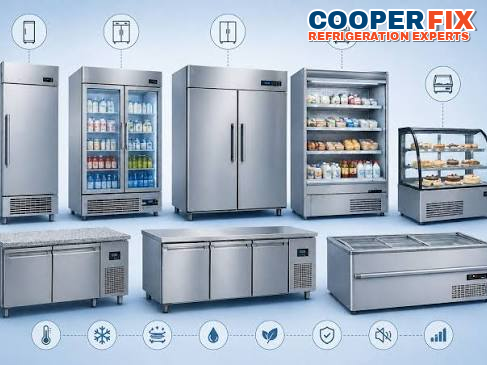 Stainless reach-in refrigeration equipment for commercial storage.Reach-in and display refrigerationCommercial fridge repair in AuroraFor reach-in refrigerators, display cases, beverage coolers, refrigerated preparation tables and other chilled commercial cabinets.
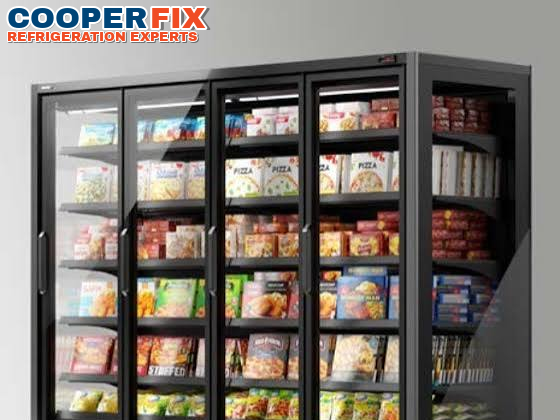 Glass-door freezer display for commercial frozen storage.Commercial frozen storageCommercial freezer repair in AuroraFor reach-in freezers and other commercial freezer cabinets with temperature, frost, airflow, control or electrical symptoms.
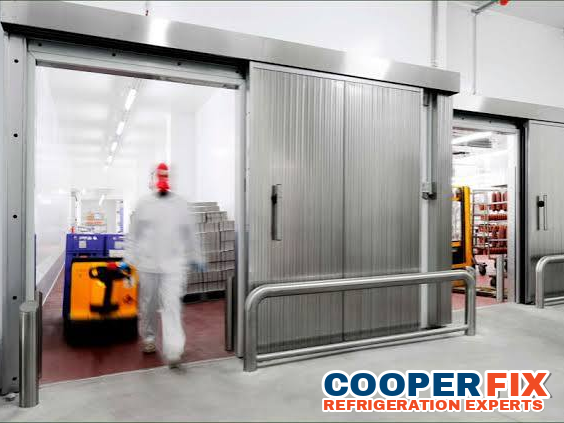 Walk-in cold-storage rooms within a commercial refrigeration installation.Cold-room refrigerationWalk-in freezer repair in AuroraFor walk-in freezers and the evaporator, condensing unit, defrost controls and wiring that serve them.
Large refrigeration equipment and the systems behind it
Different equipment can show a similar symptom while needing a different investigation. These photographs illustrate refrigeration arrangements; they do not identify the location of an Aurora service visit. The installed model and application determine which checks are relevant.
Large refrigerated displays
A long refrigerated display depends on more than the reading at its controller. Product position, return-air paths, fans and the connected refrigeration equipment all influence conditions across the display. If one section behaves differently, identify its position rather than assuming the entire installation has the same fault.

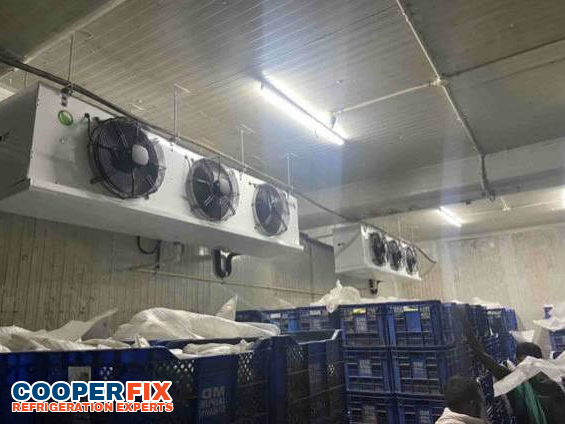
Refrigeration serving a cold room
The refrigeration system serving a walk-in room includes equipment inside and outside the refrigerated space. A technician follows the relationship between the evaporator, condensing unit, controls and circuit. The room’s intended temperature, loading pattern and recent operating history help place the measured conditions in context.
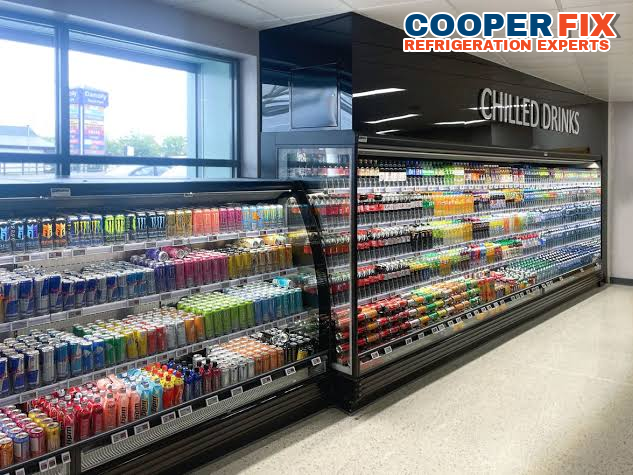
Commercial beverage refrigeration
A large beverage installation may have several sections and changing loading patterns during the day. Report whether the problem affects one section or the full run. Comparing those observations with the installed arrangement helps distinguish a local airflow or control issue from a condition shared by connected equipment.
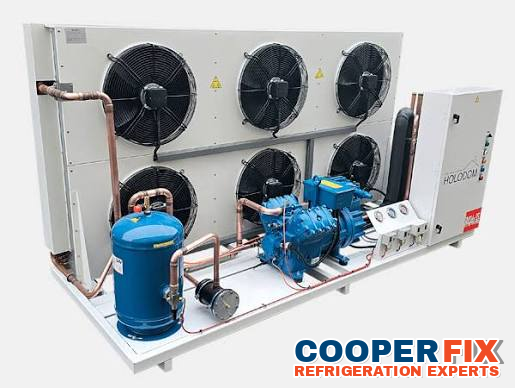
Remote condensing equipment
A remote condensing unit can be out of sight of the staff using the refrigerator or cold room. It still forms part of the investigation. CooperFix checks the relevant electrical and refrigeration conditions and relates them to the equipment being served; the business should arrange authorized access rather than open the unit.
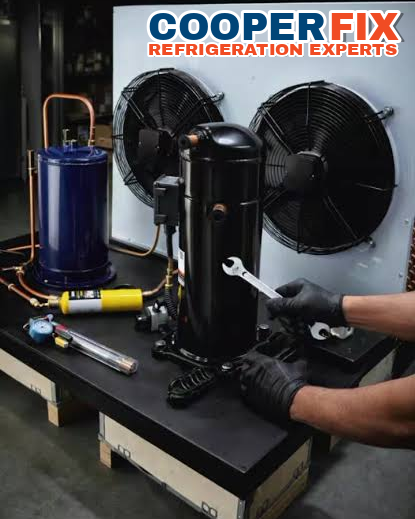
CooperFix at work: following the whole refrigeration system
An Aurora service request may begin beside refrigerated stock, but the investigation can continue at connected equipment elsewhere on the property. CooperFix relates the complaint to that complete system. A warm area, a fan that has stopped or a controller alarm is a starting observation, not a conclusion about the part that needs replacement.
The relevant checks can include temperature behaviour, airflow, fan operation, sensors, defrost, electrical supply and the refrigeration circuit. The technician selects those checks for the actual installation. Measurements from one point are considered alongside the condition of the connected components, rather than used in isolation.
Point out the affected equipment and any known remote components. Make existing service records available and identify the person authorized to discuss the work. Staff should leave covers and guards in place; a useful service visit does not depend on them attaching instruments or taking electrical measurements.
Provide access without carrying out tests
State the building, suite, equipment label and route to any remote components. Point out known controls, disconnects and remote components without opening protected equipment.
Repair and maintenance matched to the equipment
CooperFix separates a current fault from ongoing maintenance needs and longer-term replacement planning. The scope follows what the technician finds, the equipment’s intended use and the work authorized by the business.
Repair a confirmed fault
Repair work addresses the fault established during assessment. Depending on the installation, that can involve controls, sensors, fans, defrost components, electrical components or the refrigeration circuit. The explanation should connect the proposed work to the findings, including any condition that requires further investigation before a part is selected.
Plan maintenance around operation
Planned maintenance creates a record of the equipment’s condition before a service interruption becomes the only reason it receives attention. The technician considers the system, its use and previous findings. The business can identify periods when access is practical and describe recurring changes that have not yet stopped operation.
Evaluate component or equipment replacement
Replacement planning considers the confirmed condition, component availability, operating history and the application the equipment must serve. Replacing a component and replacing the complete unit are different scopes of work. CooperFix explains the relevant findings so the business can consider a defined proposal rather than choose from a symptom alone.
Install and commission refrigeration systems
For a refrigeration-system installation or replacement, the equipment arrangement, electrical requirements, controls and intended operating conditions need to be established. Commissioning checks the installed system’s operation after the work. Access and coordination with the responsible site contact are planned before that work proceeds.
Temperature complaints need a timeline
Temperature complaints need a timeline
A cabinet that gradually loses temperature presents a different history from one that stopped after an interruption. Tell CooperFix when normal operation was last observed, when the change was noticed and whether the displayed value is steady or changing. If staff already record temperatures, retain the sequence rather than supplying only the latest reading.
Temperature complaints need a timeline: operating context
Loading, ordinary use and a recent interruption can be relevant without proving the cause. The technician compares that history with current measurements. A return to the set temperature after a reset is useful information, but does not by itself show why the interruption occurred or whether the underlying condition has been resolved.
Frost, defrost and air movement are connected
Visible frost can restrict air movement, but its presence alone does not identify the fault. Its location, distribution and rate of return can help the technician decide what to investigate. Describe whether it is concentrated near the evaporator or appears elsewhere, and whether reduced airflow or a temperature change was noticed first.
Frost, defrost and air movement are connected: operating context
Defrost controls, sensors, fan operation and refrigeration conditions must be considered in the context of the installed system. A photograph taken from a normal accessible position may be useful. Avoid removing guards, breaking away frost or repeatedly changing settings in an effort to reveal the cause before the visit.
Keep each affected unit distinct in the request
An Aurora business may report several refrigeration concerns in one call. Identify each cabinet, display or room by its location or existing equipment label. Record the change staff observed at that unit, the time it began and any reading or alarm already available. Do not turn separate symptoms into one presumed failure because they occurred at the same address. If staff used different names for one unit, note both references so the technician can locate it without confusion.
Say whether the changes began together and which equipment is still operating normally. Explain which interruption most affects the business and whether other suitable refrigerated capacity is available. These details help CooperFix define the visit; the technician determines whether the systems and findings are related. Keep existing temperature records in their original sequence rather than combining values taken from different locations.
Keep product decisions separate from the equipment diagnosis
When a cabinet, display or cold room changes temperature, identify which stock and business activity may be affected. Follow the existing monitoring and product-handling procedures of the Aurora business. Record the source, location and time of temperature observations so the responsible person can make decisions using the business records rather than one isolated controller value.
Tell CooperFix which equipment carries normal stock and whether another suitable refrigerated space is available. The technician assesses the refrigeration system and explains the technical findings. Those findings do not replace the business decision about stored product. If more than one unit is affected, keep the product response for each separate as well as the equipment complaint.
Arrange access to the complete installation
Provide the full Aurora service address, building or suite, equipment location and contact who can admit the technician. If connected condensing equipment or controls are in another area, state the known location and who can authorize entry. Mention any restricted access period that actually applies to the property. Identify whether an escort or another site contact will be needed to reach that equipment.
Keep the ordinary working area accessible where safe, but do not move fixed equipment, open guards or enter a restricted area to obtain a label. Explain any limitation when arranging the visit. The access plan should cover the reported equipment and known remote components without asking staff to trace the refrigeration circuit.
Keep the findings and outstanding work in the service record
After the visit, retain the identity of each unit attended, the confirmed finding, work completed and any further action required. A part to be obtained, additional investigation and a return visit should not be recorded as work already completed. Identify the person coordinating the next action.
Continue the business’s normal temperature monitoring and product-handling procedures. If another change is noticed, add its time and observed condition to the record. The technician’s equipment findings inform a later assessment, but they do not replace the responsible business person’s decisions about stored product or establish the cause of a new event.
Aurora commercial refrigeration service information
These answers cover arranging service and the information that helps an on-site assessment. The installed equipment and confirmed findings determine the technical work.
Can I request service without knowing which component has failed?
Yes. Give CooperFix the Aurora address, equipment type, contact details and the change staff have noticed. An alarm, reading or brief description is enough to begin discussing the request. The technician assesses the cause on site.
Does this service include the refrigeration system serving a walk-in room?
Yes. CooperFix services the refrigeration system serving walk-in coolers and freezers, including the relevant evaporator, condensing equipment, controls, electrical components and refrigerant circuit. Identify the room and any known remote equipment when arranging access.
Can more than one unit be included in the same request?
Yes. List the units separately with their locations, readings or alarms and when each change began. Explain which interruption most affects the business. Separate histories help the technician assess whether the conditions are related.
What if the equipment starts working again before the visit?
Report the change and retain the original timeline. Note any reset already performed and how long ordinary operation lasted afterward. Intermittent symptoms still require assessment; the temporary return of cooling does not identify the cause.
Are equipment photographs helpful?
A photograph of an accessible model label, controller display or visible condition can help identify the arrangement. Take it only from a safe position without opening the equipment. Photographs support the service request but do not replace the technician’s measurements.
How does CooperFix handle an urgent refrigeration call?
Call (647) 483-3777 with the affected equipment, current condition and service address. Explain the effect on the operation and any access restriction. CooperFix assesses the request and discusses availability based on those details.
Can maintenance be arranged when the equipment is still operating?
Yes. Provide the equipment details, operating pattern and any recurring concern when requesting planned maintenance. The technician considers the installed system and previous findings, and the site contact helps arrange a suitable opportunity for access.
Arrange commercial refrigeration service in Aurora
Call CooperFix with the Aurora service address, affected unit and contact who can provide access.
Emergency calls are received and assessed 24/7. Availability and response depend on location, workload and the repair required.
Send the Aurora service details
State the building, suite, equipment label and route to any remote components.